
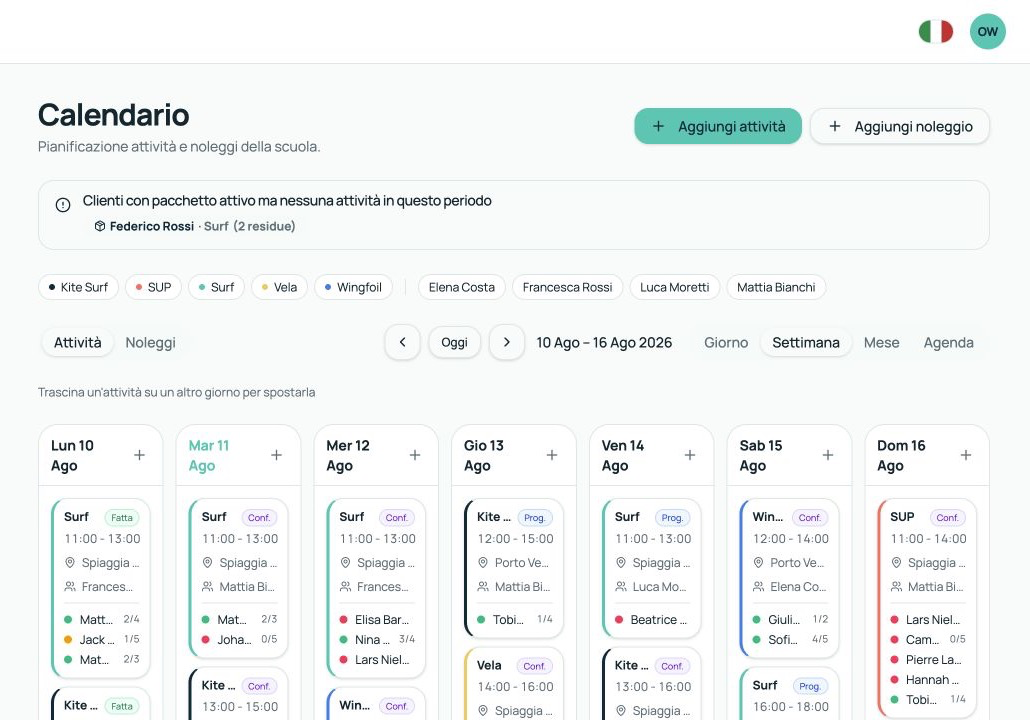
Weekly calendar
See the week's lessons and rentals, the instructors assigned and the participants.
SCHOOL MANAGEMENT SOFTWARE FOR SURF, KITE AND WATERSPORTS
Organise the calendar, assign instructors and keep track of packages, rentals and payments without WhatsApp, spreadsheets and a paper diary.
For the first 10 schools: 3 months free, then 50% off for as long as the subscription stays active.
With SaltDesk you find everything in the same place.Customers, lessons, instructors, equipment and payments stay connected and up to date.
HOW IT WORKS
When an enquiry comes in, you save the customer, assign a package, schedule the lessons and check the payments.
See the week's lessons and rentals, the instructors assigned and the participants.
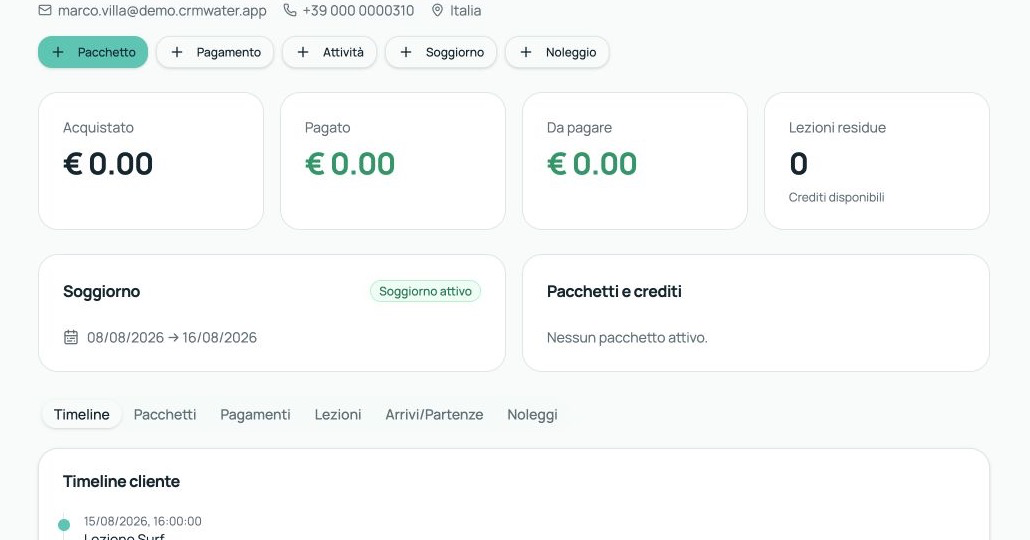
Contacts, packages, lessons taken, remaining credits and payments in one record.
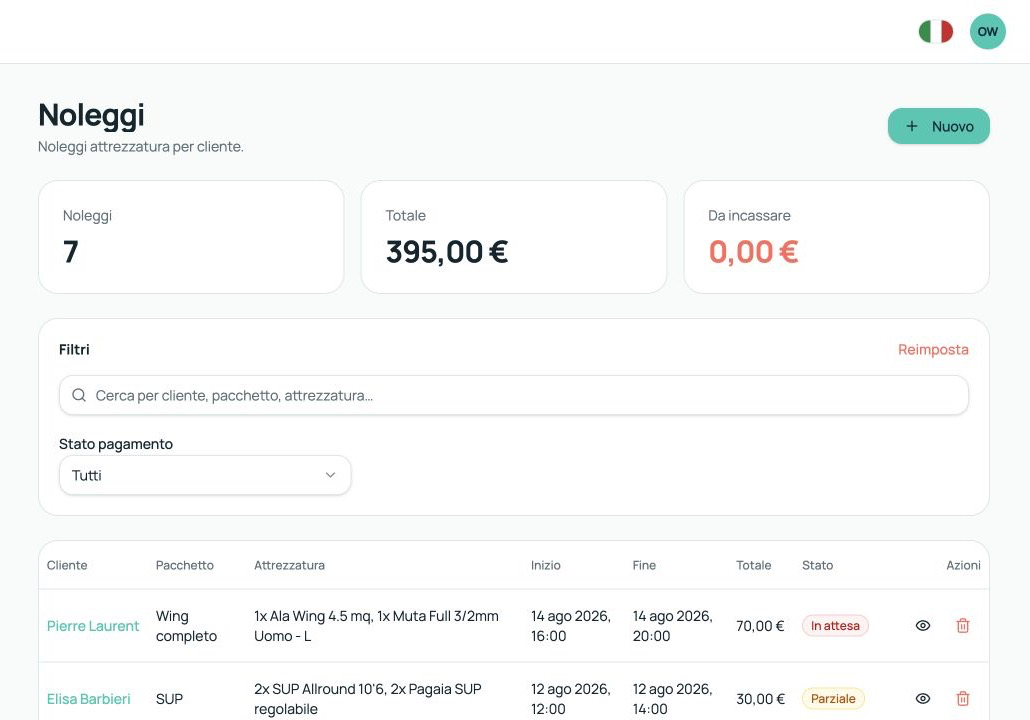
See which gear is out, when it comes back and whether the rental has been paid.
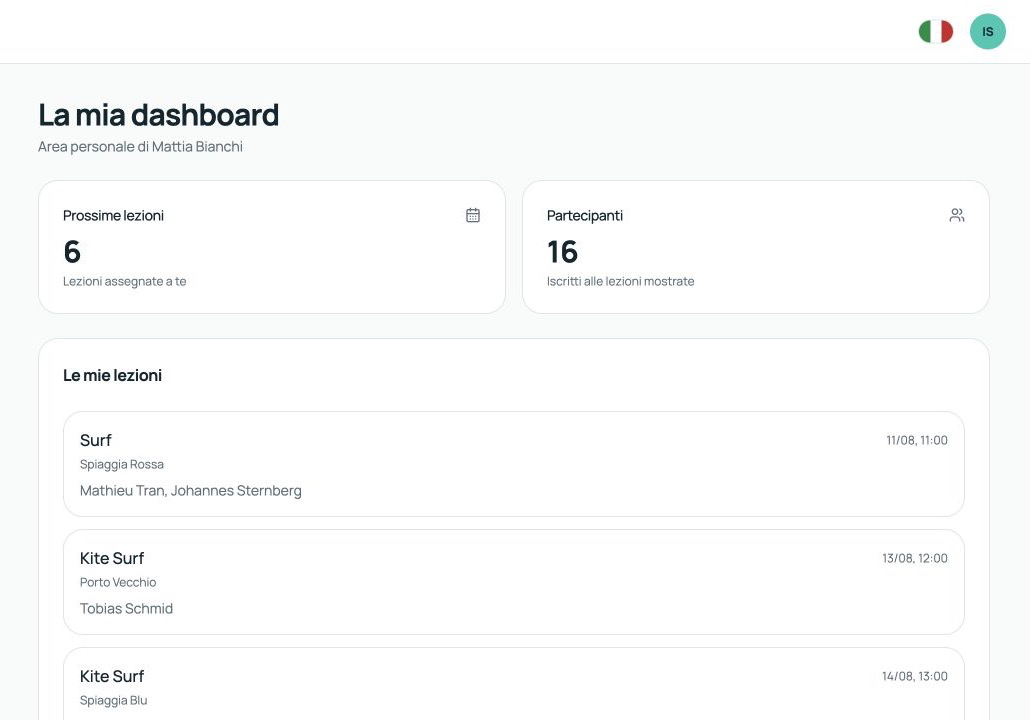
Each instructor only sees their own lessons and the participants assigned to them.
The work you handle today across different tools, gathered in the same system.
Save contacts and enquiries. A contact becomes a customer when they buy a package, a lesson or a rental.
Create a lesson, assign the instructor and participants, and move it without making all the calls again.
Each instructor sees their own lessons. Owner and office staff see the whole school.
Check which gear is available, which is out and who received it.
See how many lessons are left, how much has been paid and what you still need to collect.
Add the sports, the spots and the lesson types your school offers.
HOW TO START
Add sports, spots, packages, instructors and equipment.
Save customers and schedule lessons, rentals and payments.
Owner, office staff and instructors only see the information they need.
PRICING
No setup fee for the first 10 schools: 3 months free, then 50% off for as long as the subscription stays active.
For schools with up to 5 instructors.
€25/month
Standard price, replaced by the beta price: €50/month · Standard price
Beta price after the 3 free months
For schools with up to 15 instructors.
€45/month
Standard price, replaced by the beta price: €90/month · Standard price
Beta price after the 3 free months
For schools with up to 30 instructors and several bases or spots.
€75/month
Standard price, replaced by the beta price: €150/month · Standard price
Beta price after the 3 free months
BETA · 10 SCHOOLS
You'll use SaltDesk during real work. You'll tell us what works, what's missing and which features save you time.
The discount stays active as long as the school keeps its subscription running without interruption.
I want to try SaltDeskThese features are not available yet. We'll build and test them together with the selected schools.
Weather and wind linked to the calendar
Instructor availability
Waivers and digital signature
Certificates and expiry dates
WhatsApp and email notifications
Public booking and online payment
Here are the answers to the most common questions before you apply with your school.
Fill in the form. We'll get in touch to understand how you work and whether SaltDesk fits your school.